
Installation
JetBrains Extension Marketplace
Lorem ipsum.GitHub (Manual)
Whilst this is not the recommended installation method, as you lose out on automatic updates when a new release drops, you can always trust that these binaries are safe as the codebase is fully open source. You can compile these binaries yourself.
Usage
Lightweight, unobtrusive, and powerful — just as an IDE extension should be. This extension does not add a a library of extra features to your workflow. It simply sits between you and your codebase and solves your headaches before they start. Inspections are run automatically and the viewing modes can be customized as desired.Switching between viewing modes
Inspections are helpful for catching pesky syntax errors before committing changes, but the true power of this extension comes from the live previews bringing your templates to life as you build them. There is a layout mode for every developer and scenario, whether you want a distraction free environment or a seamless designer experience. See the JetBrains Documentation to learn more.Fundamentals
Fundamentals
1
Source
Using the source-only mode by selecting the first icon on the far left, your editor will only have one pane open showing the raw YAML file contents of your issue form template. This option is best for deep debugging sessions and when you need a distraction-free environment.
2
Preview
Using the preview-only mode by selecting the last icon on the far right, your editor will only have one pane open showing the rendered issue form as it would appear on GitHub. This option is best for checking your templates at a glance and for ensuring that no mistakes are present.
3
Hybrid
The best of both worlds for everyday use. Watch your issue templates render live as you build your YAML issue template in the editor — side-by-side (or stacked, if you prefer to switch the orientation to a vertical configuration). 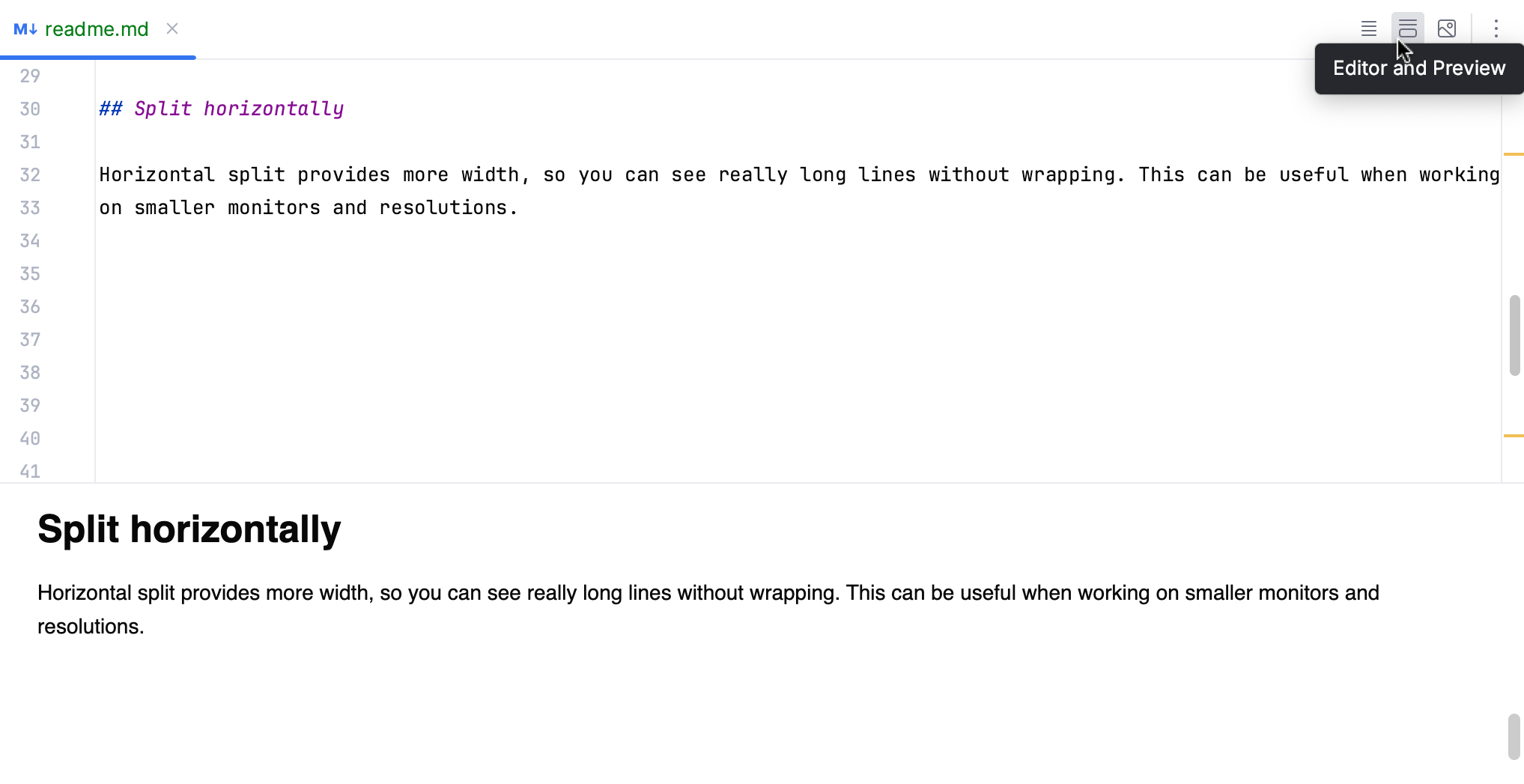
KBD Shortcuts
KBD Shortcuts
You can customize these in the settings window.
| Keybinding | Changeable | Description |
|---|---|---|
CTR + * | Yes | Switch to the source-only viewing mode. |
CTR + * | Yes | Switch to the preview-only viewing mode. |
CTR + * | Yes | Switch to the hybrid split-viewing mode. |